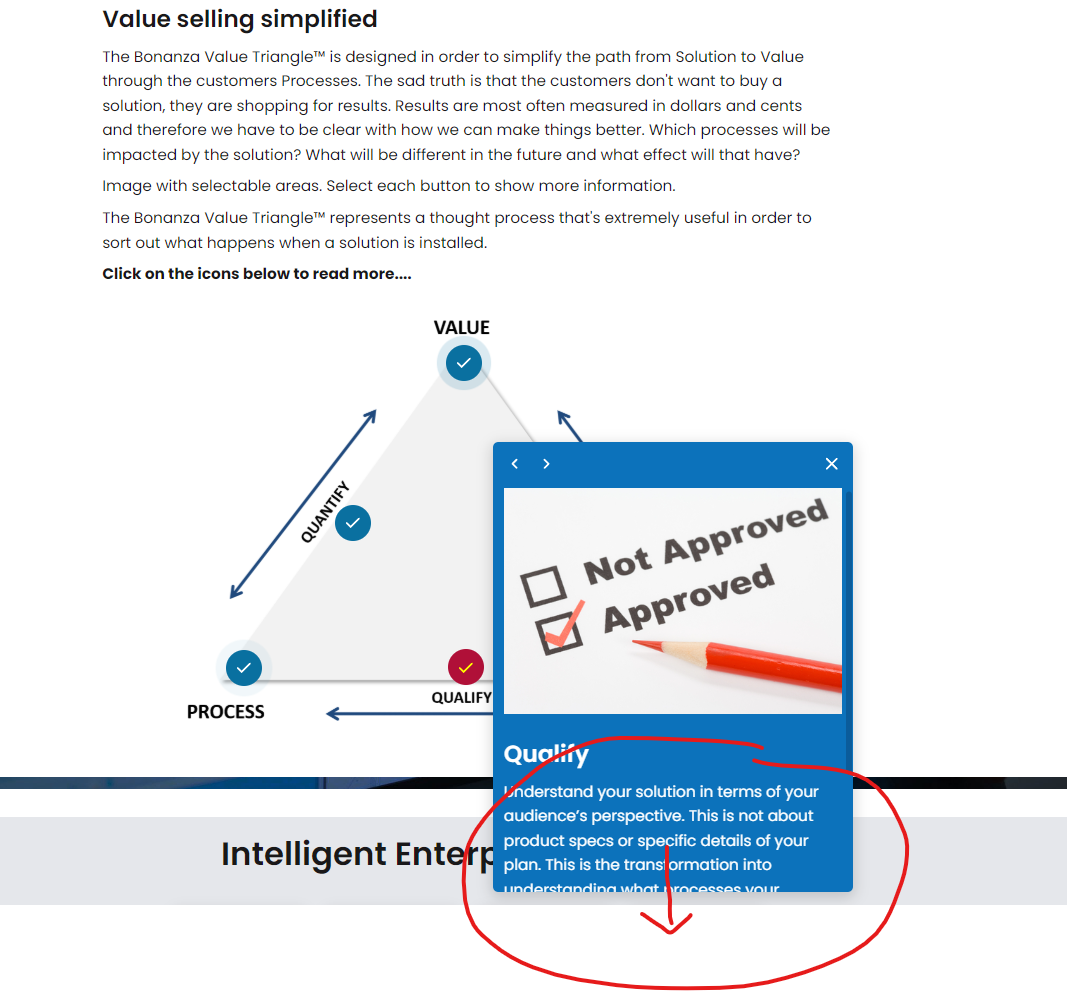
Is there a way to broaden (theme-set the width) the Popups for the Hot Graphic Component? I got quite long texts in them.
- In PC view the scroll bar indicator isn’t really visible, so it doesn’t come obvious to the user that there’s more text.
- In Tablet view, the popup crosses the window right edge, making part of it invisible.
- In Mobile view it does work - there the entire content of the pop-up is visible.
Suggested solution: Let me “Theme” the popups more! I would really need to set their width and even use columns if there’s enough width on different devices.
(I don’t get how to attach images here, but here’s a link to an image showing the problem: https://mybonanzafiles.bonanza.se/files/bonanza/images/EvolvePopupTooSmall.png)