Hello,
Does anyone know how can I edit a template without modifying the courses that have already used it previously?
Hello,
Does anyone know how can I edit a template without modifying the courses that have already used it previously?
Hi Rocio,
Templates are made from an existing course at that point in time, and then cannot be edited from that point on. You just use them to start off a new course that’s identical.
Nothing you do to any course will change what’s in another course, except of course making changes to assets or themes that are shared across multiple courses. Then you will see the difference.
To make a new template, create a new course from the one you want to change, make the changes in that course, then save the changed course as a new template, and delete the old template and course if no longer required.
I hope that makes sense.
Hello Helen,
I understand, now that I see your reply I think what I want to know is how to edit a theme that is used across multiple courses without messing with them and use it on a new template, it would be the same process that you told me?
Ah OK sorry I did not see your question.
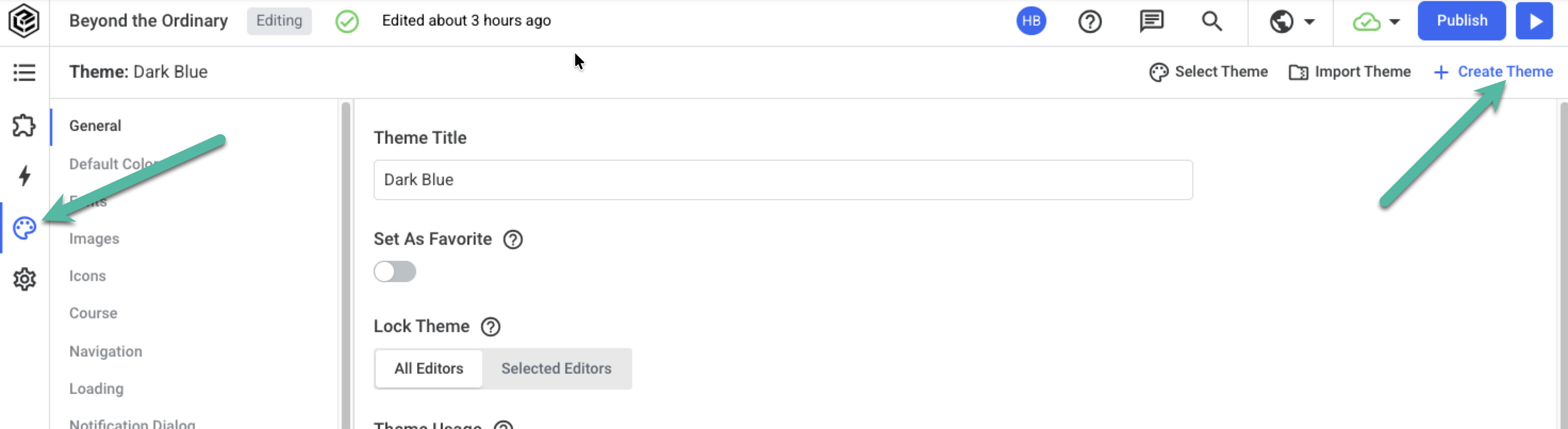
If you want to change a theme without affecting courses that already use it, open a new course, go to the theme page for the course, select Create Theme from the top right:
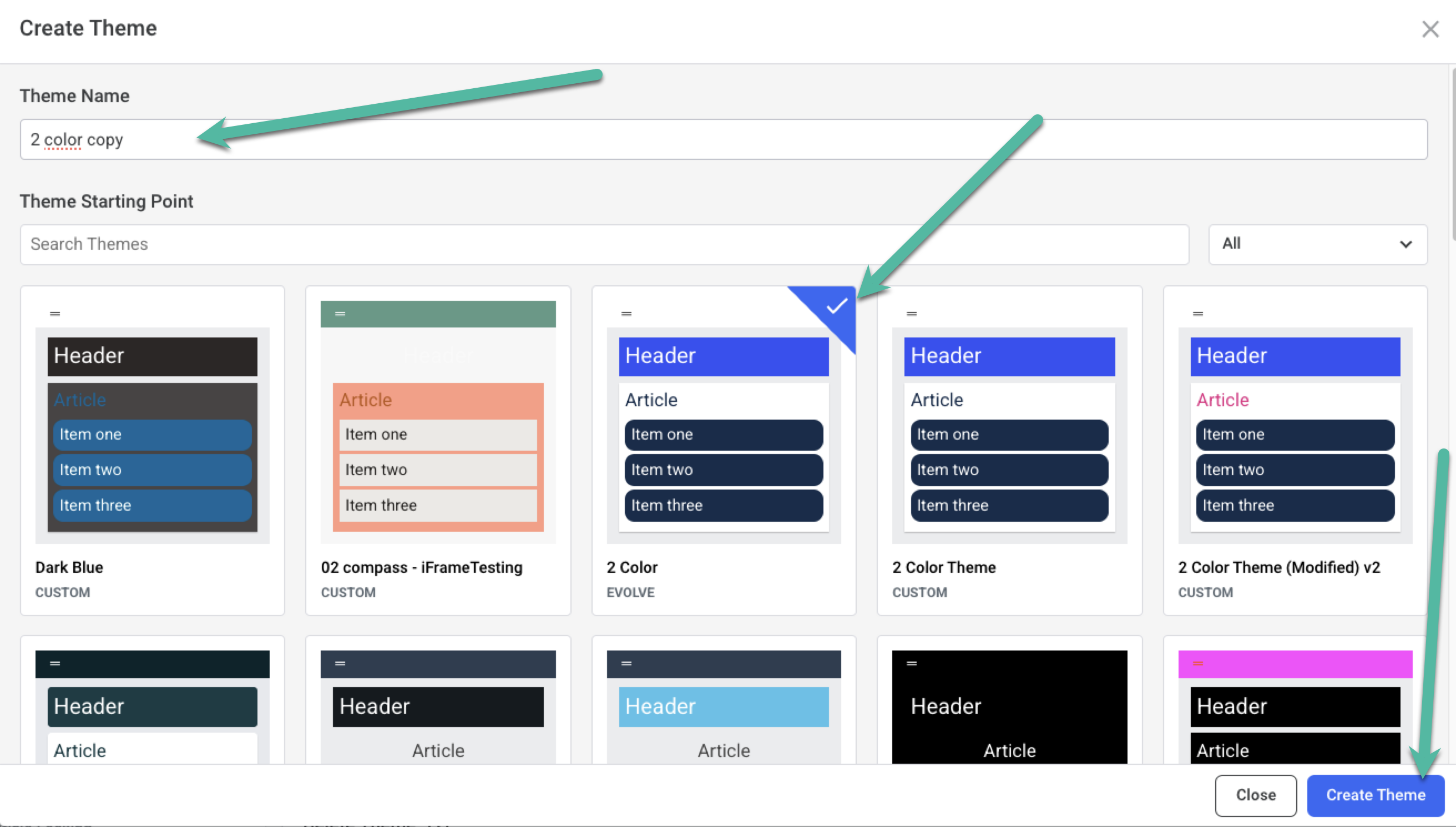
then give the new theme a name, choose the theme you want to copy, and hit the create button. Then you will have a copy of yout htme that you can make changes to without affecting the other theme, and apply it to whichever courses you like!